 Sleep Timer
Fall asleep to it. Nothing plays all night.
Music, a podcast, an audiobook or a video in another app: Sleep Timer slowly turns it down, stops it and checks that it really stopped. Set it once, and it stops every night, even if you forget the timer.
The timer is free, with no ads. Every night by itself and the widget: $4.99 once.
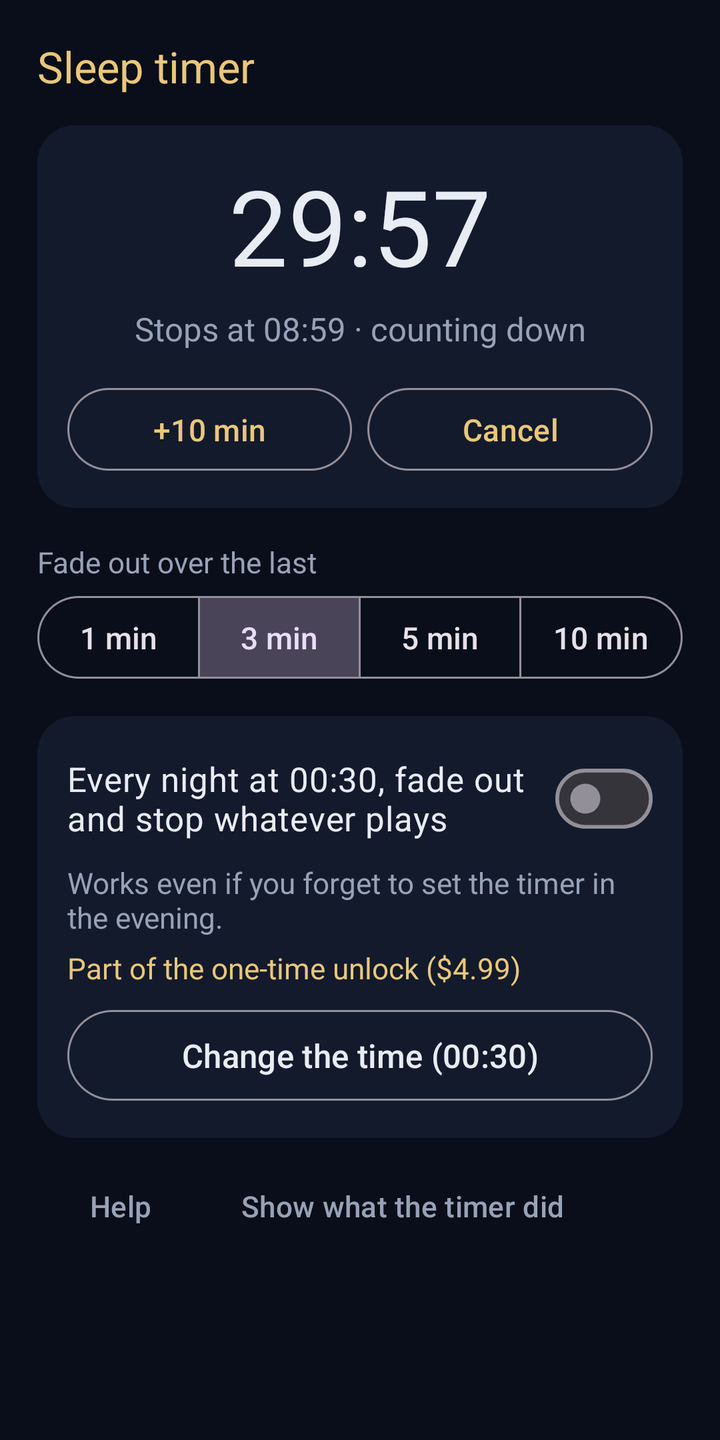
One tap in the evening. The countdown also sits in the notification, with +10 min and Cancel.
Turned down, stopped, checked
It fades out first, then stops the playing app, and then makes sure the silence lasts.
One tap in the evening
Start 15, 30, 45, 60 or 90 minutes in the app, from a Quick Settings tile or from the home screen widget. You do not need to open the app that plays.
Still awake? Add 10 minutes from the notification, without opening anything.
Fade out over the last
A gentle fade, then silence
Over the last 1, 3, 5 or 10 minutes, the media volume goes down step by step, so the end does not wake you. Then the playing app is asked to stop.
Afterwards the volume goes back to where it was, so your music is not silent tomorrow. Only the media volume is ever touched, never the ringtone or the alarm.
It checks that it really stopped
Stopping another app does not always work the first time. A minute later, Sleep Timer checks that nothing has started playing again, and stops it once more if it has.
A few apps ignore every request to stop, for example some internet radios. Then the media volume stays at 0 so you can sleep, the morning report tells you, and one tap brings the volume back.
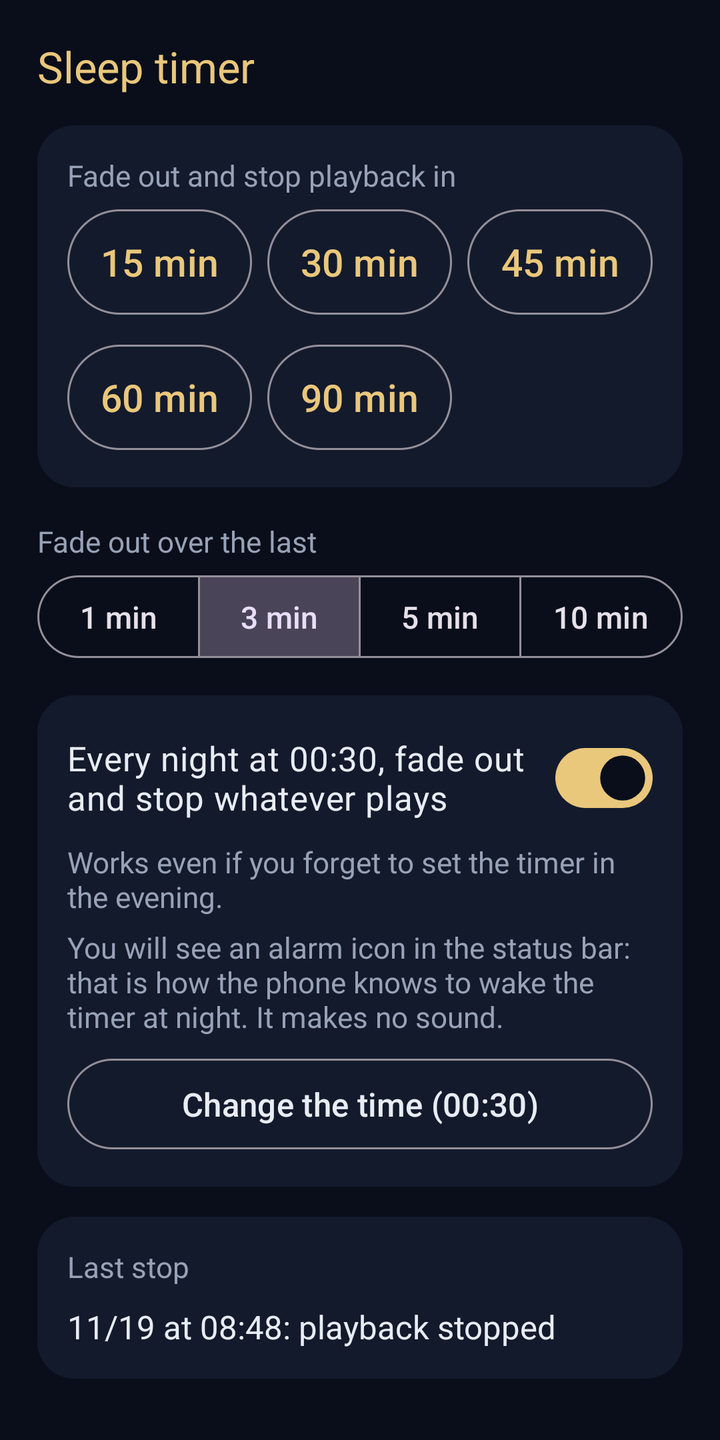
Last stop
11/20 at 00:30: playback stopped
Playback could not be stopped
An app kept playing. We turned the media volume down to 0 so you could sleep. Tap to restore it.
It stops every night, even if you forget
Choose a time, for example 0:30. Every night at that time, whatever is still playing fades out and stops, whether or not you started the timer. In the morning you see what happened.
An alarm that makes no sound
The phone wakes the timer with a silent alarm, so it works even when the phone saves power. You see an alarm icon in the status bar while it is on.
Nothing plays, nothing changes
If nothing is playing at that time, because you stopped it yourself or the timer already did, nothing changes.
An honest morning report
To save battery, Android sometimes closes apps in the background. If that ends a timer early, the report says so and shows how to prevent it on your phone.
The apps you fall asleep to
- Spotify
- YouTube
- YouTube in Chrome
- Music players
- Podcast apps
- Audiobook players
- Videos in the browser
Music and podcast apps, audiobook players and videos, including videos in the browser. Marked ones are tested. Most apps stop within a few seconds.
Small things that matter at night
No ads at bedtime
No banners and no videos when you are half asleep. The free timer has no ads, and neither does anything else.
Your volume comes back
After the stop, the media volume is put back where it was. The ringtone and the alarm are never touched.
Tile and widget
A Quick Settings tile starts the length you used last. The widget starts 15 to 60 minutes and, while it runs, offers +10 min and Cancel.
Private
No account, and nothing is recorded. The app cannot see what you listen to: it only lowers the media volume and asks the playing app to stop.
Easy in the dark
A dark screen, large buttons and short text, so you can set it with sleepy eyes.
See what it did
Curious or unsure? The app shows each step of the last runs: when the fade started, how the app was stopped and when the volume came back.
What it does, and what it doesn't
It does
- Fade out and stop audio and video playing in other apps
- Check a minute later that playback really stopped
- Put the media volume back afterwards
- Stop playback every night at your time, with the one-time unlock
It doesn't
- Turn off Bluetooth or Wi-Fi. Android does not allow apps to do that
- Turn off the screen. It goes off by itself as set on your phone
- Play sleep sounds or track your sleep. It stops what plays
The timer is free. The nightly stop is yours for good.
Freethe sleep timer itself, no ads
- 15 to 90 minutes, +10 min from the notification
- Gentle fade over 1, 3, 5 or 10 minutes
- Stop check and volume back
- Quick Settings tile
- Morning report
$4.99 oncecharged by Google Play in your local currency
- Every night by itself at your time
- Home screen widget
- Everything free stays free
- No subscription
The purchase belongs to your Google account, so it comes back when you reinstall the app or get a new phone.
Questions
Which apps does it work with?
Music and podcast apps, audiobook players and videos, including videos in the browser. It is tested with Spotify, YouTube, YouTube in Chrome and common music players. Most apps stop within a few seconds.
What if an app does not stop?
A few apps ignore every request to stop, for example some internet radios. Sleep Timer then leaves the media volume at 0 so you can sleep, the morning report tells you, and one tap brings the volume back. Such an app usually has a sleep timer of its own.
Will my music or my alarm be quiet in the morning?
No. After the stop, the timer puts the media volume back where it was. It only ever changes the media volume, never the ringtone or the alarm volume.
Why is there an alarm icon in the status bar?
While the every-night stop is on, the app sets an alarm in the phone at your chosen time. That is how the phone knows to wake the timer at night, even when it is saving power. The alarm makes no sound, and when nothing plays, nothing changes. The app asks you once to allow Alarms & reminders for this.
Can it turn off Bluetooth, Wi-Fi or the screen?
No. Android does not let apps switch off Bluetooth or Wi-Fi, and Sleep Timer does not turn off the screen. It fades out and stops playback. The screen turns off by itself as set on your phone.
The timer ended too early or not at all. Why?
To save battery, Android sometimes closes apps in the background, and some phone makers do it more often. If that ends the timer, the morning report says so and shows how to prevent it on your phone. On Xiaomi, Redmi and POCO phones, for example, it takes two settings.
How much does it cost? Is it a subscription?
The timer, the fade-out, the stop check and the Quick Settings tile are free, with no ads. A one-time purchase of $4.99, charged by Google Play in your local currency, adds the every-night stop and the home screen widget. There is no subscription.
Can the app see what I listen to?
No. It only checks whether any audio is playing, lowers the media volume and asks the playing app to stop. There is no account and nothing is recorded. Anonymous usage statistics and crash reports, sent through Google Firebase, help improve the app: when a timer starts and how the stop went, never what played. The privacy policy lists exactly what is sent.
Can children use it?
Yes. Schoolchildren aged 6 and over can use it, for example so that a story or an audiobook stops by itself. Younger children should have a parent or guardian set it up with them. The every-night stop and the widget are a one-time purchase that a parent makes or approves in Google Play.
Which phones does it run on?
Android phones with Android 7.0 or newer.
Something else? Write to alfa1stars@gmail.com. A real person answers.
Tonight, let it stop by itself.
Free on Android, with no ads. Set the timer with one tap, or set the nightly stop once and forget about it.
Get Sleep Timer